
Elementor MCP Bridge: Archived Plugin Guide
Archive notice — November 2026: The Elementor MCP Bridge described in this article is no longer installed on shiftlb.net. This page is retained as a historical reference. We have not verified the availability, security or compatibility of the plugin or its download with current WordPress, Elementor or AI-client releases.
The original guide described a bridge intended to let an AI client communicate with a WordPress site that used Elementor. Its screenshots and setup steps may no longer match current software. Do not treat the old instructions or security claims below as a current recommendation.

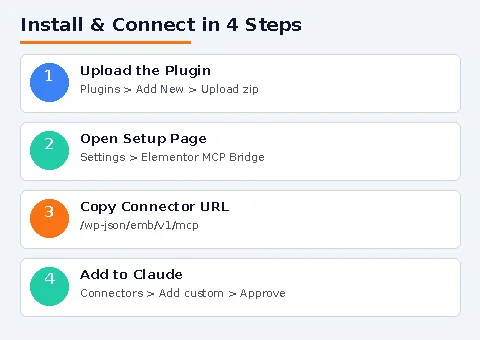
Before connecting any AI tool to WordPress
- Check that the plugin comes from a source you trust and is actively maintained for your versions of WordPress and Elementor.
- Review the code, permissions and data the integration can read or change before activation.
- Test on a staging site and use a dedicated WordPress account with only the permissions required for the task.
- Keep WordPress, plugins and backups current. Revoke credentials and disconnect the integration when it is no longer needed.
- Never publish application passwords, tokens or private connection URLs in a page, post, screenshot or public repository.
Current Shift services
Shift now focuses on custom AI agent development and digital services. We design agents and automated workflows around a business process, with permissions and human review defined for the project. Explore AI agent development or web development.
Ask about the archived guide
If you have a question about the historical connector or its current availability, use the form below. A response does not guarantee that a working download or supported version is available.
For current Shift projects, please use the contact page.